
hey, your week's about to get a lot easier.
Get your time back.
The most time-consuming part of your week, drafted for you.
- Monday: your week of reels, scripted from your real stories
- Every morning: who's waiting on you, with the replies drafted in your prices
- Every week: a friendly follow-up drafted for every client who never answered your quote
For small-business owners and creators who are busy, maybe a little overwhelmed, and building anyway. Six kits from my own business, set up once by chatting with Claude. You review and send, in English or español.
Designed by an engineer. Made easy for everyone. You don't need to know code.

Busy and overwhelmed? Build anyway.
Your week, before and after. Each one is a kit or a classroom lesson, and you still read and send everything.
Before your week right now
After with a kit or a classroom lesson
Before
You don't know what to post this week, and scripting, filming, editing and captioning even one reel eats your whole evening.
After
La Factoría researches what your audience is talking about, pulls your own stories from the week, and drafts the hooks, scripts, carousels and captions in your voice. You press record, and the Reel Factory edits your clips overnight: cuts, captions, a cover and a CapCut draft you can tweak.
Kit 01 · La Factoría
Before
23 unread emails, and no idea who's actually waiting on you or what they asked.
After
Claude reads your inbox, tells you who's waiting and why, and drafts each reply with your real prices and links. You read them and hit send.
Inbox Sweep kit · Start Here in the classroom
Before
"How much is it?" for the fifth time this week, and you rewrite the same pricing email from scratch every time.
After
Your pricing reply, set up once from your real packages, payment plan and booking link, drafted in seconds whenever someone asks.
Free guide · The 5 Prompts in the classroom
Before
Instagram DMs piling up at 11pm, and every reply has to sound like you, not like a bot.
After
Short replies drafted from your own words, so the person knows you actually read their message. You tap send.
The 5 Prompts in the classroom
Before
Quotes you sent weeks ago that nobody answered, and money just sitting there because following up feels awkward.
After
Claude finds every quote that went quiet and drafts a friendly follow-up in English or Spanish. You approve each one.
Money kit · The Follow-Up in the classroom
Before
AI drafts that sound like a robot, so you end up rewriting every one of them yourself.
After
A voice profile built from your own messages and posts, so the drafts sound like you from the first try.
Sound Like You in the classroom
Before
You're scared AI will send something wrong, or touch something it shouldn't.
After
Written rules for what Claude may and may not touch. It drafts; nothing goes out until you send it yourself.
Permissions Without Fear in the classroom
Set up carefully once. Easy every week after.
before you start · antes de empezar
You chat. No code.
Tú platicas. Nada de código.
Every kit runs in Claude Code, inside the Claude desktop app: a chat window, not a terminal. If you can text, you can run it.
Nothing goes out without you.
Nada sale sin ti.
Claude drafts. You read it, change what you want, and you're the one who sends it.
Tested on my week first.
Probado en mi semana primero.
Each kit is a workflow I run in my own business. It ships when it works for me, not before.
Six kits. Pick the part of your week you want back.
Each kit is one workflow I run myself, zipped up to download. The first one opens first, at a founding price for the first ten; the other 5 follow as each is tested.
Opens first, at $197 for the first ten.
Setting up a kit. Four steps, all in a chat.
once, then it's there every week
- 1
Download the kit.
Descarga el kit.
One folder: the skills, the instructions, and a video of me running it.
- 2
Paste one prompt into Claude Code.
Pega un prompt en Claude Code.
Open the kit folder in Claude Code, in the Claude desktop app. It walks you through setup in a chat: your offers, your prices, how you talk.
- 3
Tell it about your week.
Cuéntale de tu semana.
Like you'd tell a friend. Claude does the research and the first drafts from there.
- 4
Review, change, send.
Revisa, cambia, envía.
You read everything first. Nothing is posted or sent for you.
Want to build your own? Learn how in the classroom.
Learn AI, Build Your Business: 22 systems, 136 short lessons, that teach how all of it works, one small job at a time, with the prompt to copy and a filled-in example to check against. Every lesson is written twice, in English and in Spanish. The techie depth lives here, if you want it.
What people are saying.
As a creative entrepreneur struggling with ADHD, I had more great ideas than finished projects. Yesenia taught me how to leverage Claude and use assistive AI to create systems and structures to reign in my thoughts and improve workflow to keep me consistent and on track.
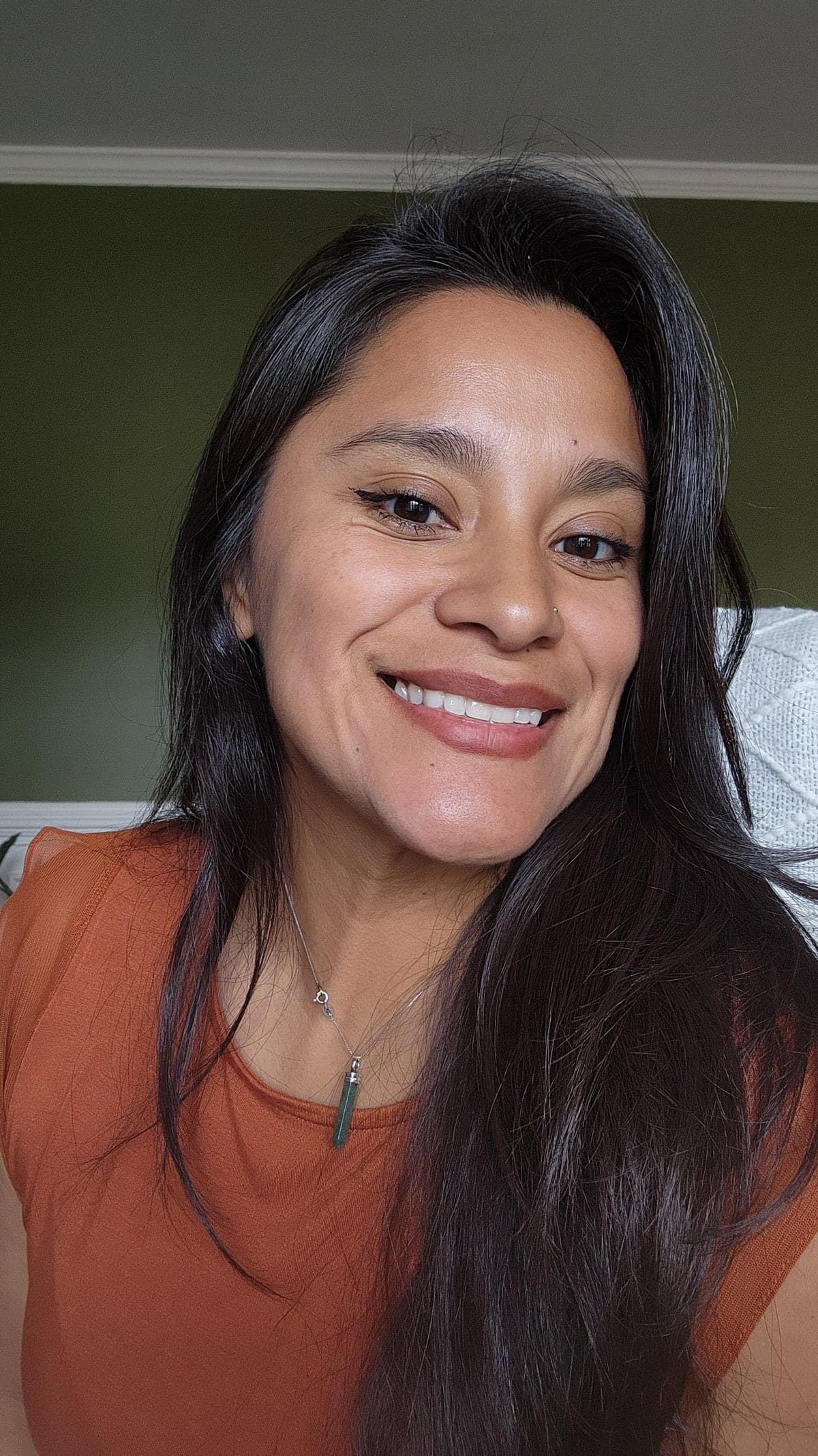
Hi, I'm Yessie. Mucho gusto.
I'm a single mom of three, and my kids are my everything. They're the reason I do all of this.
I've been working since I was 15. I bartended for years, and when I was pregnant with my daughter I was still getting home at 2 in the morning. I told myself I couldn't live that way anymore. So I went back to school, between shifts, and got my engineering degree. I'm a late bloomer: I landed my first engineering job at 28, and today I'm a lead software engineer who takes real pride in her work.
Every big move I've made came when I was up against a wall. That degree showed me what else is possible. So now I give my all to my job, my all to my kids, and my all to this business, after bedtime, because I know there's a better future out there for my family. A legacy.
And it's calling my name.
con cariño, Yessie
Not ready to buy? Start free.
Guides, the first classroom lessons and a weekly email. No card.
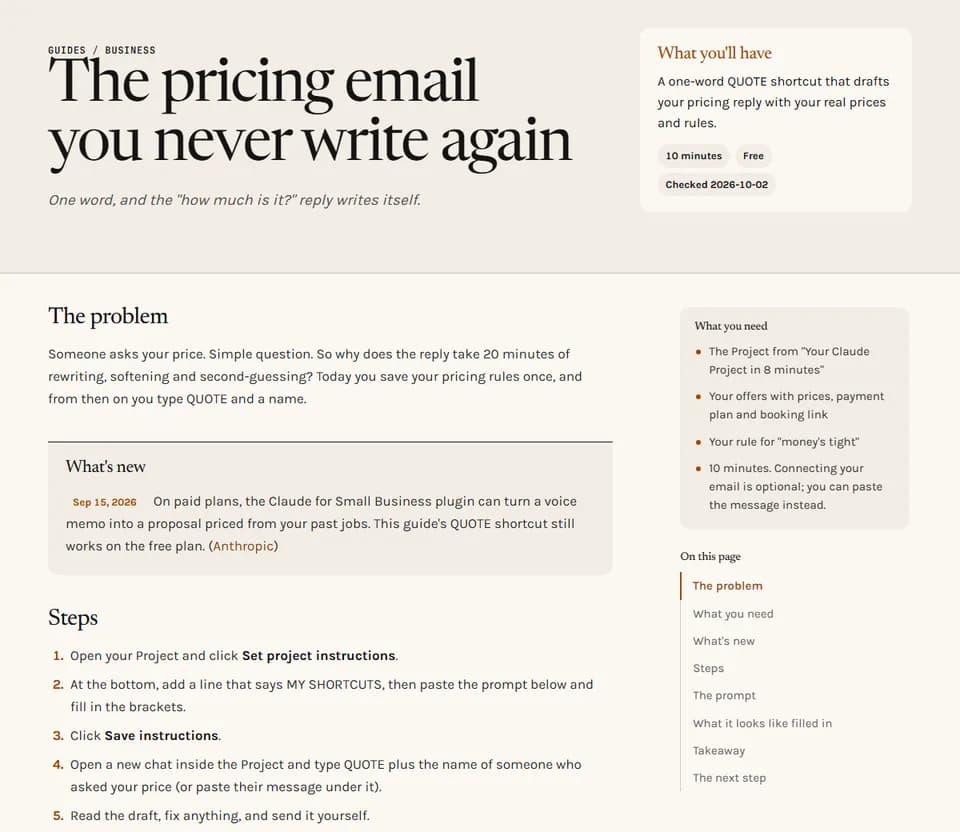
11 free guides
One job each, with the prompts to copy and a filled-in example. No signup.
Read the guides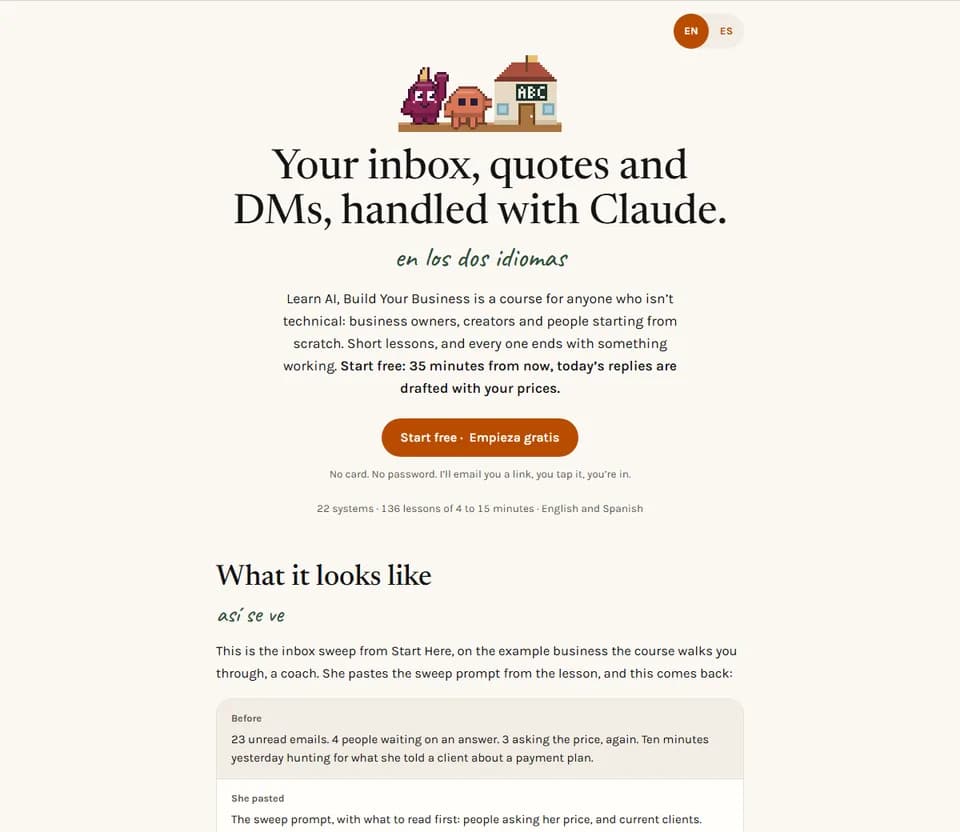
The free classroom start
Claude in plain words, your Project, and the one-word shortcuts. Start Here takes 35 minutes. No card.
Start the free partWant the next guide? New guides come by email, with a weekly note on what changed in Claude.
Questions preguntas
Do I need to be technical?
No. Every kit runs in Claude Code, inside the Claude desktop app. It looks like any Claude chat: you type, it answers. No terminal, no code editor, no code to write. Each kit says up front what it needs before you pay.
What's the difference between a kit and the classroom?
A kit is one workflow, ready to set up: you install it and it runs. The classroom teaches you how all of it works, so you can build your own. Some people want the result; some want to understand it.
Do I need a paid Claude plan?
For most kits, yes: Claude Pro, $20 a month. Not for the free classroom start or the guides.
Does anything get sent or posted for me?
No. Claude drafts. You read everything, change what you want, and you send it.
When are the other kits ready?
When each one works on my own week and has been tested from a fresh account. Save your spot on the one you want and I'll email you the day it's ready.
Is it really in Spanish?
Every classroom lesson has its own Spanish version, written in Spanish, not machine-translated.
What's the refund policy?
7 days, full refund, on the kits and the classroom. Email me and you get your money back.